











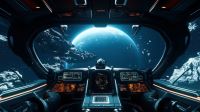
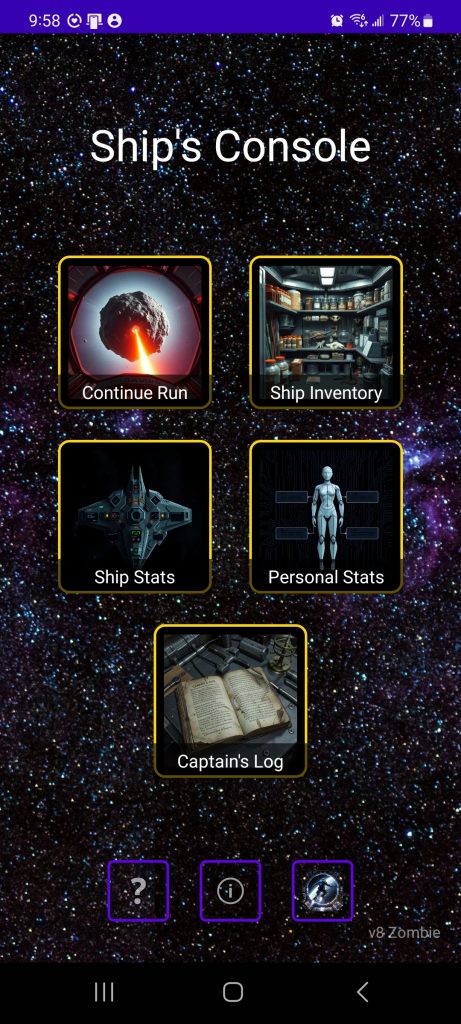
Continue Run: (Initially Start Run) Continue Mining. Ship Inventory: All items available to turn in to faction/guild/species representatives in facilities or dump on the Black Market. Ship Stats: Summary of all upgrades and installed items, armament sub-menu for detailed weapon stats. Personal stats: Game progression tracking, Achievements/Badges, Galmail, Alliances sub-menu with further sub-menus for faction/guild/species. Captains Log: Empty until missions are unlocked upon reaching rep level 3 (16 rep points) in any non-primary faction and any Guild or Species (Missions are only available if there is a presence on the station and you are of sufficient Rep level). Lower screen icons from bottom left: Help and assistance & Disable/Enable GPS, Release info and link to Privacy Policy, save & exit button.
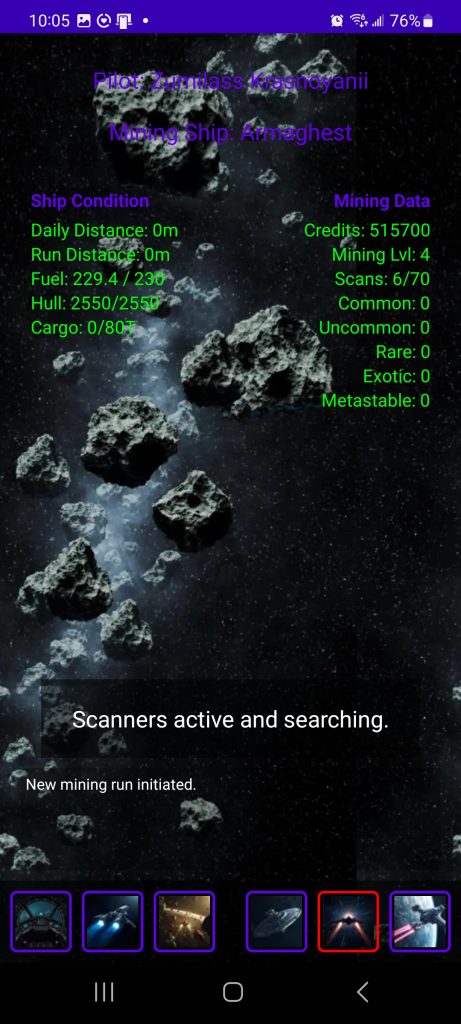
Buttons on bottom from left to right: Return to Main Screen. Turn thrusters on/off (mainly used if GPS is enabled to stop static traveling). Advance 10m. Scan for facility. Warp to Facility. EFW (if in inventory) Emergency Facility Warp (Levels 1-6, 1 being Outpost Level 1, 6 being Starbase Level 3).
Basic game functionality: Press advance 10m button, or walk with GPS enabled until an object is found. Scan object using the left button (the one that is not red). Mine it if resources are found. Scan for facility when fuel is low or cargo hold is almost full; Auto-scan will trigger if you reach capacity. Sell resources at a facility using the gold kCr coin icon. Market rates improve at higher facilities.
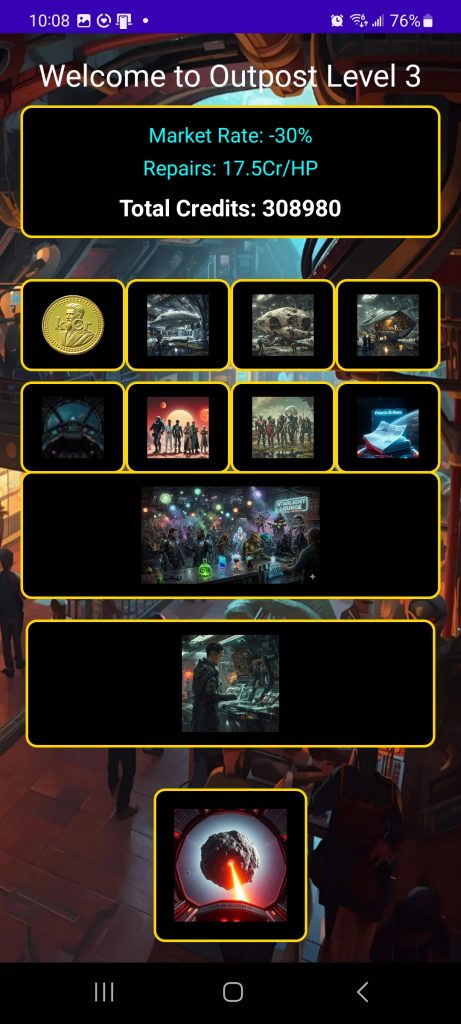
Top: Facility Type & Stats.
Top row buttons, left to right: Sell resources. Refuel Ship. Repair Ship. Upgrade Ship.
Second row buttons: Return to Main Screen. Faction/Guild presence. Species Presence. Galactic Tribune.
Starlight Lounge: Game information and hints.
Black Market: Sell Black Market Goods or fence current inventory.
Start new mining run.